Chronogram
Time-calibrated tree with geological timescale (rectangular or circular)
Command identity
- Canonical command:
chronogram- Handler:
chronogram- Aliases:
chrono, time_tree
- Standalone executables:
pk_chronogram, pk_chrono, pk_time_tree
- Categories:
Tree manipulation & utilities
Runtime interface
Synopsis
phykit chronogram --tree <tree> --root-age <root_age> --plot-output <plot_output> [--timescale <timescale>] [--node-ages] [--fig-width <fig_width>] [--fig-height <fig_height>] [--dpi <dpi>] [--no-title] [--title <title>] [--legend-position <legend_position>] [--ylabel-fontsize <ylabel_fontsize>] [--xlabel-fontsize <xlabel_fontsize>] [--title-fontsize <title_fontsize>] [--axis-fontsize <axis_fontsize>] [--colors <colors>] [--ladderize] [--cladogram] [--circular] [--color-file <color_file>] [--json]
Arguments
This table is generated from the live command parser. It is the authoritative source for accepted spellings, required arguments, types, defaults, and choices.
Argument |
Required |
Type |
Default |
Choices |
|---|---|---|---|---|
|
true |
str |
required |
any |
|
true |
float |
required |
any |
|
true |
str |
required |
any |
|
false |
str |
auto |
auto, epoch, period, era |
|
false |
boolean |
false |
any |
|
false |
float |
none |
any |
|
false |
float |
none |
any |
|
false |
int |
300 |
any |
|
false |
boolean |
false |
any |
|
false |
str |
none |
any |
|
false |
str |
none |
any |
|
false |
float |
none |
any |
|
false |
float |
none |
any |
|
false |
float |
none |
any |
|
false |
float |
none |
any |
|
false |
str |
none |
any |
|
false |
boolean |
false |
any |
|
false |
boolean |
false |
any |
|
false |
boolean |
false |
any |
|
false |
str |
none |
any |
|
false |
boolean |
false |
any |
Output and errors
--json provides the command's structured JSON representation. Output-file options: --plot-output. Invalid command syntax exits with status 2. Input
validation and scientific limitations are described in the guidance below.
Guidance, interpretation, and examples
Plot a chronogram (time-calibrated phylogeny) with geological timescale bands. Requires an ultrametric (or approximately ultrametric) tree and the root age in millions of years (Ma).
Geological epoch, period, or era bands are drawn behind the tree as colored stripes based on the ICS 2024 International Chronostratigraphic Chart. A labeled timescale bar is displayed below the tree. The time axis runs from past (left) to present (right).
95% HPD confidence intervals are automatically detected and drawn
when the input tree contains BEAST (height_95%_HPD) or MCMCTree
(95%HPD) node annotations. The intervals appear as translucent
blue bars at each internal node — no extra flags needed. Trees without
annotations are plotted without bars.
The --timescale option controls the level of detail:
auto (default): selects epochs for trees <= 66 Ma, periods for <= 252 Ma, eras for deeper timescales
epoch: Cenozoic and Mesozoic epochs (Holocene through Early Triassic)
period: geological periods (Quaternary through Cambrian)
era: Cenozoic, Mesozoic, Paleozoic
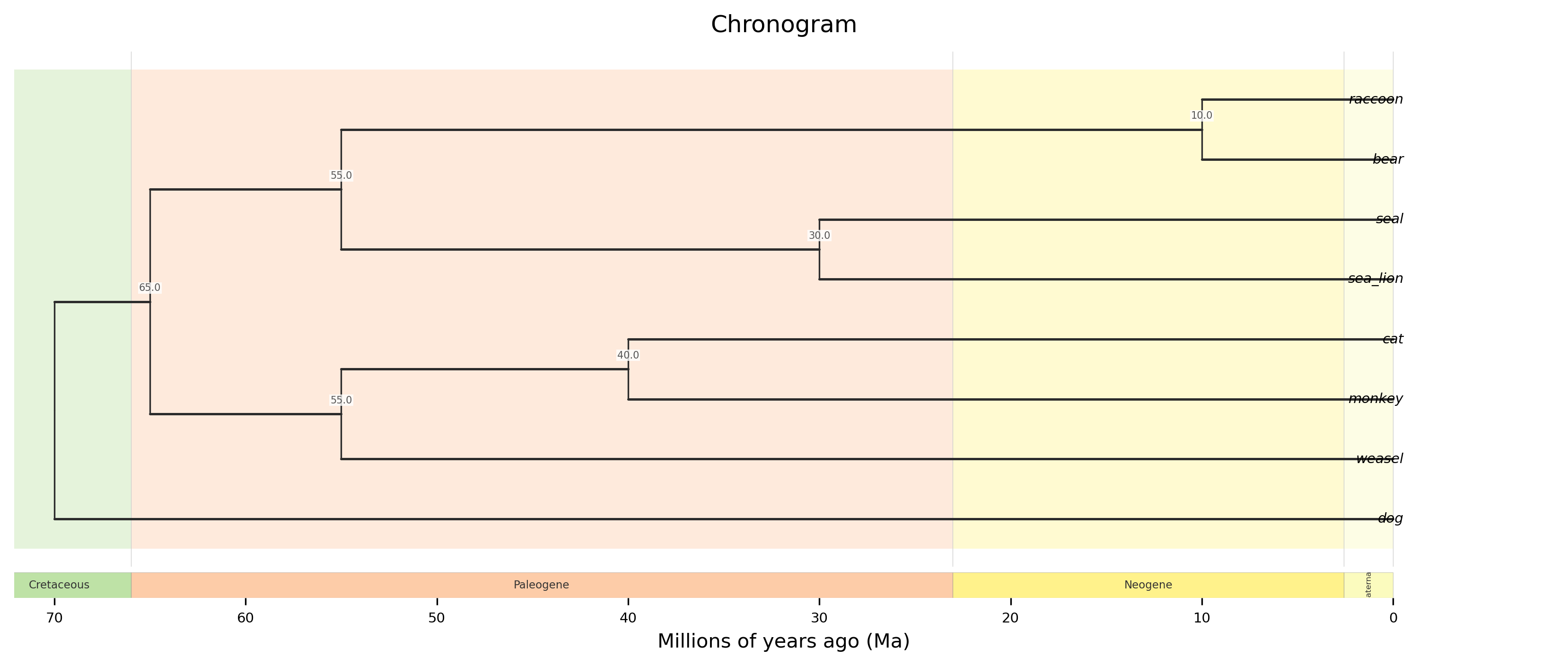
Rectangular chronogram with epoch bands, node age labels, and a geological timescale bar.
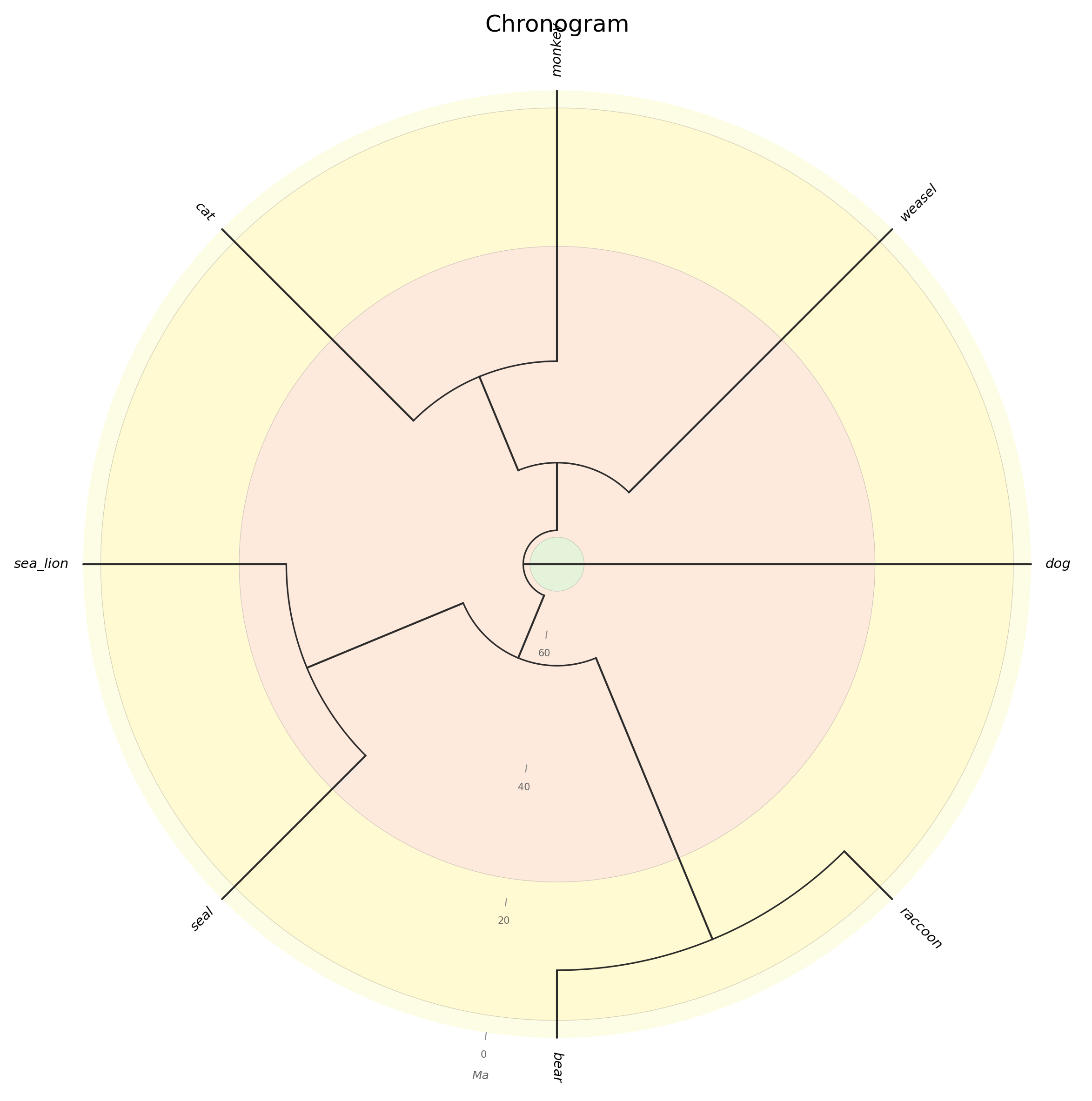
Circular chronogram with concentric geological epoch rings and radial time tick marks.
phykit chronogram -t <tree> --root-age <float> --plot-output <file>
    [--timescale auto|epoch|period|era] [--node-ages]
    [--circular] [--ladderize] [--color-file <file>] [--json]
Options:
-t/--tree: ultrametric tree file (required)
--root-age: age of the root in millions of years (Ma; required)
--plot-output: output figure path (.png, .pdf, .svg; required)
--timescale: timescale level — auto (default), epoch, period, or era
--node-ages: label internal nodes with divergence times (Ma)
--circular: draw circular chronogram with concentric geological rings
--ladderize: ladderize (sort) the tree before plotting
--color-file: color annotation file for tip labels, clade ranges, and branch colors (iTOL-inspired TSV format)
--json: output node ages as JSON