Tutorial 12: Spectral discordance decomposition
Objectives
Complete the spectral discordance decomposition workflow.
Interpret the reported values and generated artifacts in their scientific context.
Identify the canonical command references for each analysis step.
Prerequisites and working directory
Install the current PhyKIT release and create a dedicated working directory. Download the data linked in this tutorial into that directory before running the commands. All paths below are relative to this directory.
mkdir phykit-tutorial-12
cd phykit-tutorial-12
Workflow
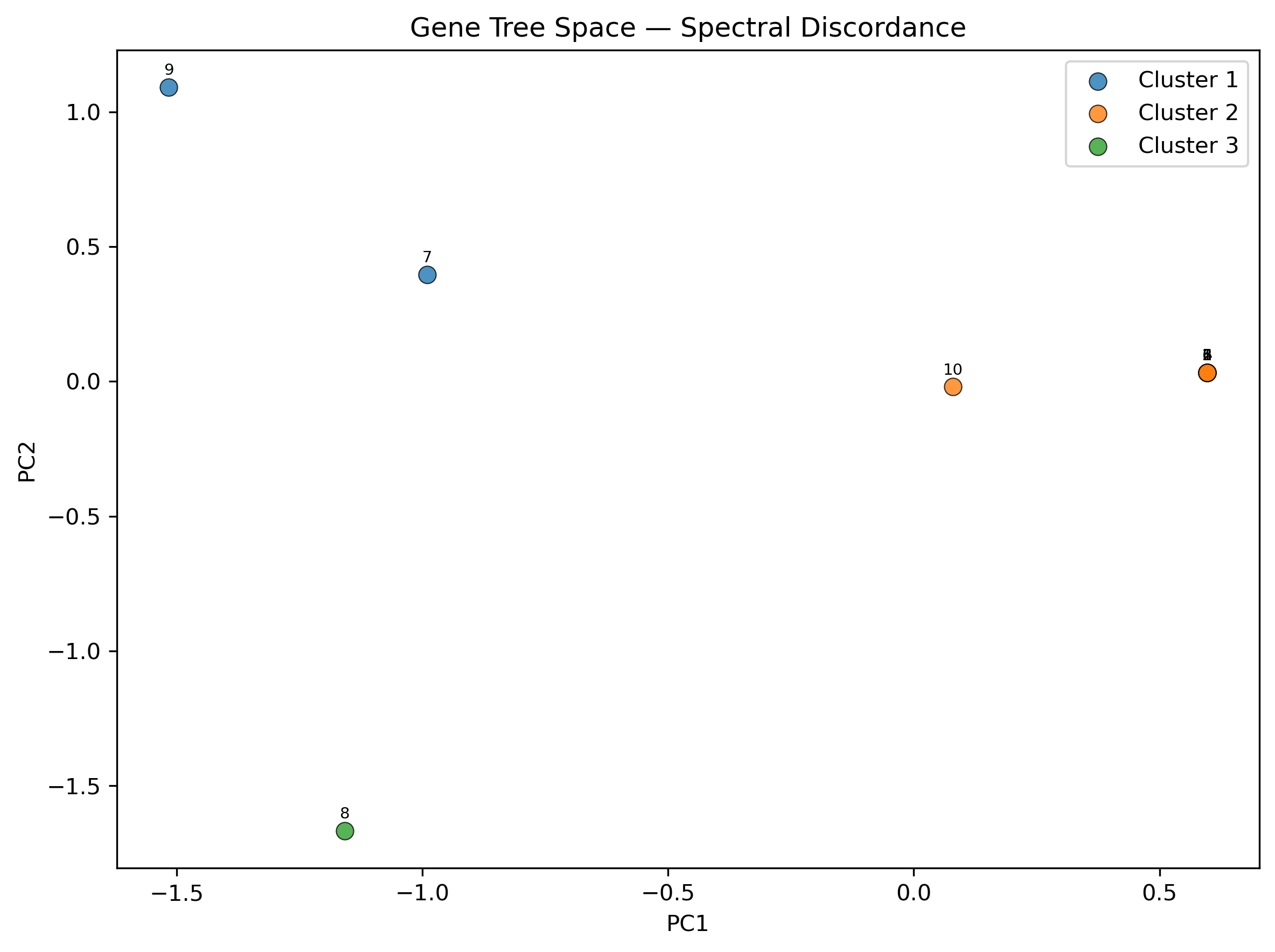
Gene tree discordance is commonly summarized per-branch (e.g., gCF/gDF), but this loses the global structure of tree-space variation. Spectral discordance decomposition uses PCA on a bipartition presence/absence matrix to ordinate gene trees and spectral clustering to identify groups of genes that share alternative topologies.
Download test data:
Mammal phylogeny;
Gene trees
Step 1: Run basic analysis
Run the spectral discordance command with a set of gene trees and an optional species tree:
phykit spectral_discordance \
    -g gene_trees_simple.nwk \
    -t tree_simple.tre
This prints a summary including variance explained per PC, top bipartition
loadings, and cluster assignments. Species-tree bipartitions are marked
with * in the loadings output.
Step 2: Generate plots and JSON output
Add --plot for scatter and eigengap plots, and --json for
machine-readable output:
phykit spectral_discordance \
    -g gene_trees_simple.nwk \
    -t tree_simple.tre \
    --plot sd_output \
    --json > sd_results.json
This produces sd_output_scatter.png (PC1 vs PC2 colored by cluster) and
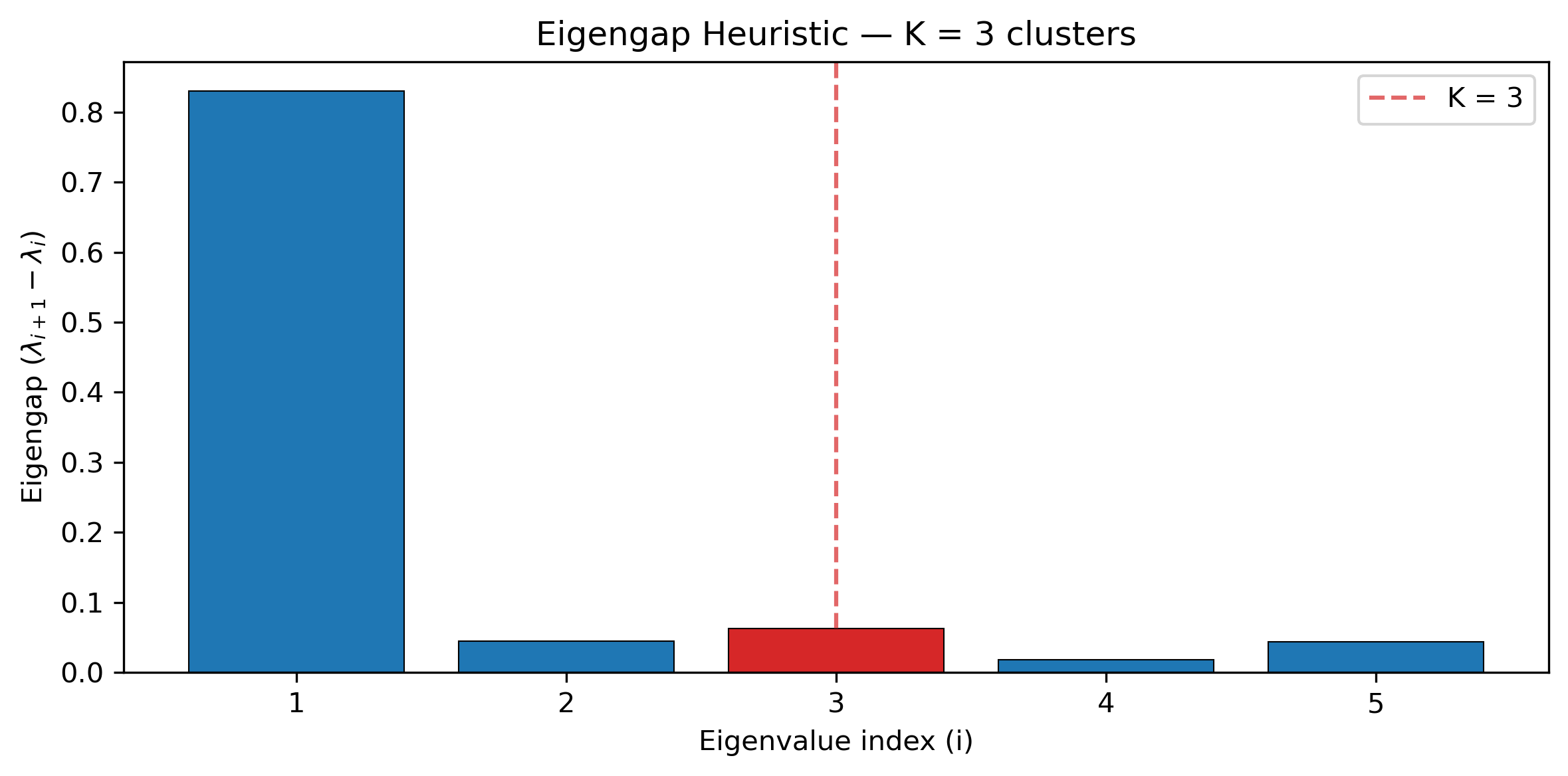
sd_output_eigengap.png (eigengap bar chart showing the chosen K).
Step 3: Customize analysis
Use --metric wrf for branch-length weighted analysis, --clusters K to
override auto-detected cluster count, or --n-pcs and --top-loadings
to control output detail:
phykit spectral_discordance \
    -g gene_trees_simple.nwk \
    --metric wrf \
    --clusters 4 \
    --n-pcs 5 \
    --top-loadings 10
Expected artifacts
Each step identifies its expected terminal output or generated files. Confirm that those artifacts exist before continuing to the next step; filenames are relative to the tutorial working directory unless an absolute path is shown.
Troubleshooting
Run
phykit <command> --helpto compare an invocation with the live interface.Confirm that downloaded files are in the current working directory and retain the filenames shown in the tutorial.
For parsing errors, compare taxon names exactly across alignments, trees, and trait tables, including capitalization and underscores.
See Troubleshooting for installation, format, and error-reporting guidance.